How to Prevent Data Loss on Android Devices
Data loss on Android doesn’t usually happen out of nowhere—it’s often the result of small habits that build up over time. The smartest way to stay protected is to create a system where your data is always backed up, organized, and secure without needing constant effort.
Quick Data Protection Checklist
| Action | Why It Matters | Frequency |
|---|---|---|
| Enable cloud backup | Keeps data safe online | Always ON |
| Local backup (PC/Drive) | Extra protection layer | Weekly |
| Organize files | Prevents accidental deletion | Ongoing |
| Check before deleting | Avoids mistakes | Every time |
| Update system | Reduces bugs/crashes | Monthly |
| Scan for malware | Protects file integrity | Weekly |
Enable Automatic Cloud Backups
One of the most effective ways to protect your data is by enabling automatic cloud backups. When your device is connected to your Google account, it can quietly sync your photos, contacts, messages, and app data in the background. This ensures that even if your phone is lost, damaged, or reset, your data remains safe and easily recoverable.
Keep a Local Backup as a Second Layer
While cloud storage is reliable, keeping an offline copy adds an extra layer of security. Saving your important files on a computer, external drive, or USB storage ensures that you always have access to your data—even without internet or account access.
Organize Your Files to Avoid Mistakes
A messy storage system increases the chances of accidental deletion. When files are properly organized into folders and clearly named, it becomes much easier to manage them safely. Good organization not only saves time but also prevents costly mistakes.
Be Careful When Deleting Files
Most data loss happens in seconds, often due to quick or careless deletion. Taking a moment to review files before removing them can prevent permanent loss. Many apps also have temporary trash folders, so checking those can sometimes save deleted files.
Install Apps from Trusted Sources
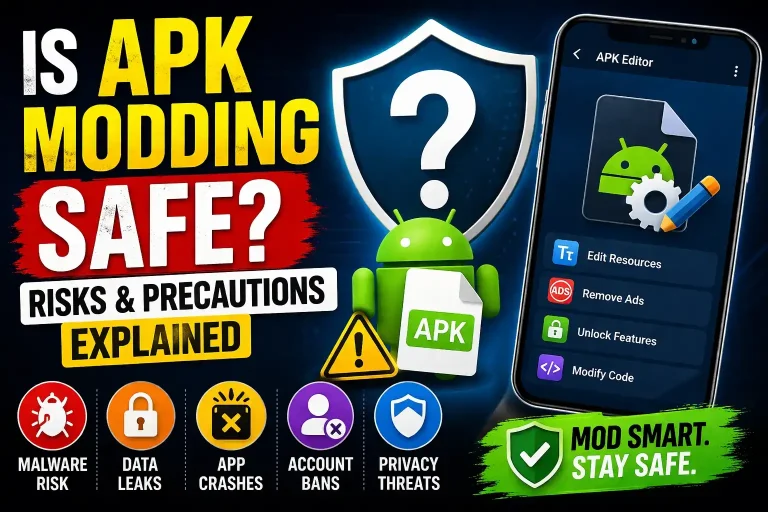
Untrusted apps are a major cause of data loss. They can corrupt or delete files without warning. Always download apps from reliable platforms and avoid unknown APK sources to keep your device and data secure.
Keep Your System Updated
Regular system updates fix bugs and improve performance, reducing the risk of crashes or data corruption. However, it’s always a good idea to create a backup before installing major updates to stay on the safe side.
Use File Manager Tools Wisely
Using advanced file manager tools like MT Manager can help you manage your storage more effectively. These tools allow you to organize files, access hidden directories, and create manual backups. When used carefully, they give you complete control over your data and reduce the chances of accidental loss. However, since they provide deep access to your system, it’s important to use them responsibly.
Protect Your Device from Malware
Keeping your device safe from malware is a key part of preventing data loss. Avoid clicking suspicious links, limit unnecessary permissions, and use built-in security features to keep your files protected.
Use SD Cards Carefully
SD cards are useful but can be unreliable if not handled properly. Using high-quality cards and avoiding removal during use can prevent file corruption. It’s also wise to keep backups of important data stored on external memory.
Build a Regular Backup Routine
Creating backups once isn’t enough. Developing a habit of backing up your data weekly or monthly ensures that you always have a recent copy. This consistency is what truly protects you from major data loss.
Learn How to Recover Deleted Files Using MT Manager
Key Takeaways
- Always use both cloud and local backups for maximum safety
- Stay organized to avoid accidental file deletion
- Only install apps from trusted and secure sources
- Keep your device updated to prevent system errors
- Use tools like MT Manager carefully for better file control
- Build a consistent backup routine this is what truly protects your data
Final Thoughts
Preventing data loss is always easier than trying to recover lost files. By combining cloud backups, local storage, careful usage, and trusted tools, you can keep your Android data safe without stress. A few smart habits today can save you from serious problems later.